 DisplayTune
What is DisplayTune?
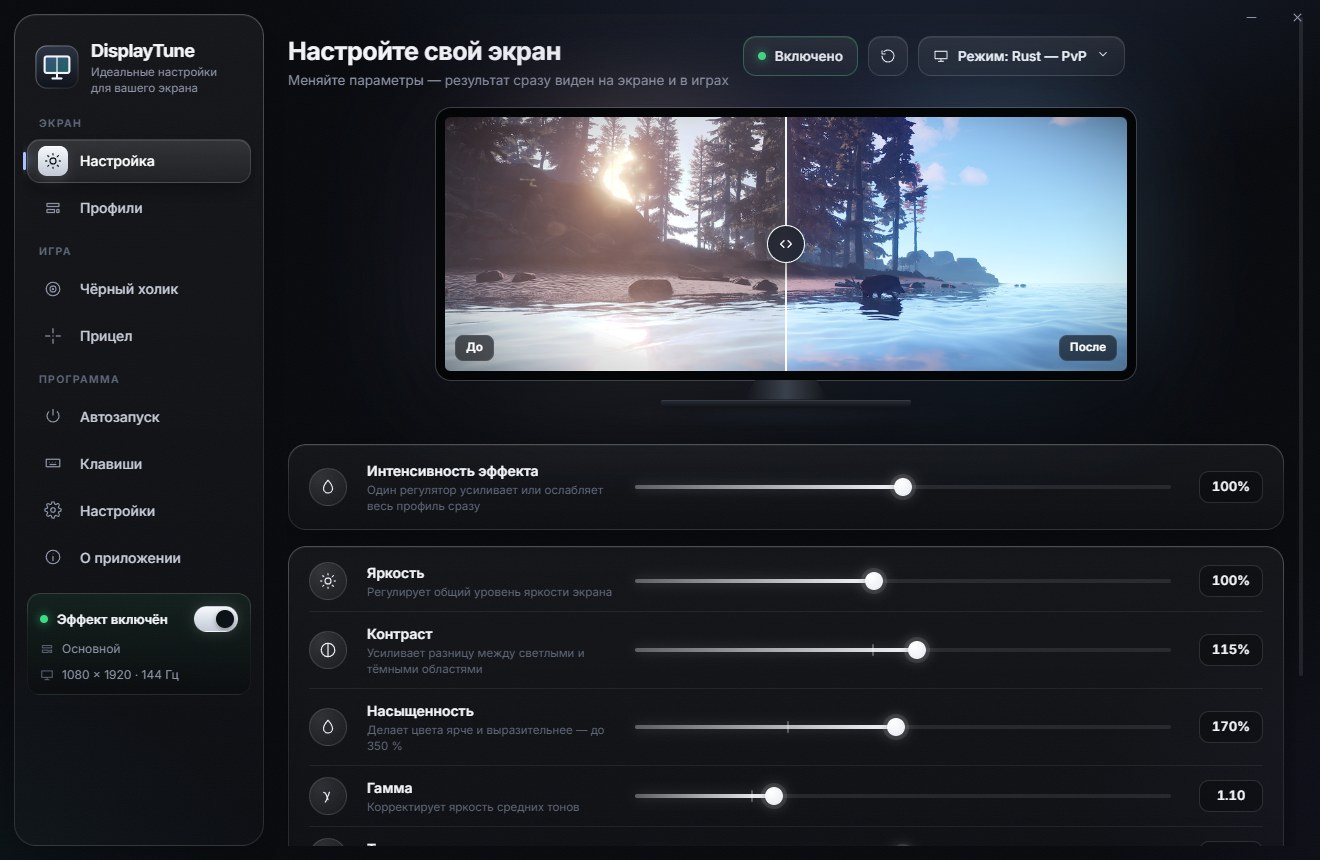
DisplayTune is a small app for Windows 10 and 11 that changes the color of your whole screen: saturation, brightness, contrast, gamma and color temperature. The idea is simple — every game looks exactly the way you want, and the right profile turns on by itself.
What it does, in short
Think of the "Digital vibrance" slider from the NVIDIA Control Panel — but with a separate value for every game, hotkeys and a clean interface. DisplayTune changes color at the graphics driver and Windows level, so the effect works everywhere: games, browser, video.
- Saturation up to 350% — beyond the driver limit. Up to 200% goes through the NVIDIA or AMD driver, above that through a Windows color filter.
- Brightness, contrast, gamma, temperature plus fine tuning: shadows, highlights, R/G/B balance.
- 63 presets in seven groups: Rust, night vision, shooters and esports, survival, vivid, eye comfort, everyday.
- Auto profiles for 26 games — a profile turns on when the game is in focus and turns off when you leave it.
- Hotkeys: toggle color, compare with the original, next profile, jump to a specific profile.
- For Rust: black holo sight, a custom crosshair overlay and one-click optimization.
Who it is for
Mostly shooter and survival players. Grass, rocks and enemy clothing often blend into the same muddy green, and at night the screen is nearly black. More saturation separates objects; careful gamma pulls detail out of shadows without washing out the sky.
The second use case is everyday work: a dull office monitor gets livelier, and warm presets like "Reading" or "Warm evening" are easier on the eyes at night.
DisplayTune vs NVIDIA Control Panel vs VibranceGUI
| Feature | NVIDIA Control Panel | VibranceGUI | DisplayTune |
|---|---|---|---|
| Saturation | up to driver max | driver max | up to 350% |
| Brightness, gamma, temperature | one global setting | no | per profile |
| Per-game profile | no | yes | yes, 26 games + custom |
| Hotkeys | no | no | yes |
| GPUs | NVIDIA only | NVIDIA, AMD | NVIDIA, AMD, Intel |
How it works
Brightness, contrast, gamma and temperature are combined into the GPU gamma ramp — the same mechanism Windows calibration uses. Saturation goes through the official NVIDIA and AMD driver interfaces. The app never injects into games and never reads or changes their memory or files. More in DisplayTune and anti-cheat.
Price
The first day is free — the bot in our Discord gives you a key. After that: 1 month — 200 RUB, 3 months — 700 RUB, 1 year — 1300 RUB. The key is tied to your PC on first activation. How to install and activate — step-by-step guide.
Saturation up to 350%, brightness, contrast, gamma and temperature, per-game profiles that switch on automatically, and hotkeys. Works on NVIDIA, AMD and Intel. First day free.
Try it freePricing — from 200 RUBWant to see how it looks first? Load your own screenshot into the free Vibrance simulator →
Frequently asked questions
Is DisplayTune a cheat?
No. It only changes the color of the image at the GPU and Windows level, like the driver control panel. It never reads game memory, never highlights players and gives you no information that is not already on screen.
Which graphics cards does DisplayTune support?
NVIDIA, AMD and Intel. Saturation goes through the driver on NVIDIA and AMD; on other GPUs a Windows color filter is used.
Is the interface available in English?
Yes, the app has Russian and English interface languages — switch it in Settings.