 DisplayTune
Digital vibrance in Rust: how much and how
Rust is deliberately muted: grass, rocks, wood and cloth armor share the same grey-green palette. A player in a hazmat suit against bushes barely stands out. Saturation is the easiest fix.
Why everything blends in Rust
The survival mood is built on muted tones and haze. Great for immersion, bad for PvP: objects differ mostly in hue rather than brightness, so your eye picks them up later. Higher saturation amplifies exactly that hue difference — green grass gets greener, while a blue jacket or orange suit pops off the background.
How much to use
| Situation | DisplayTune | NVIDIA Digital vibrance |
|---|---|---|
| Farming, building | 130–155% | 65–75% |
| PvP, raids | 160–190% | 80–95% |
| Snow biome | 130–140% | 65–70% |
| Night | 110–120% + gamma | 55–60% + gamma |
The driver stops at 200%. DisplayTune goes up to 350% — rarely needed, but the "Rust — Ultra 260%" and "Rust — Maximum 350%" presets exist for maximum color separation.
Option 1: driver panel
NVIDIA: "Adjust desktop color settings" → "Digital vibrance" 75–85%. AMD: "Custom Color" → "Saturation" 150–170. The downside: one value for everything, so your browser and Discord turn neon too. See NVIDIA and AMD guides.
Option 2: a Rust profile in DisplayTune
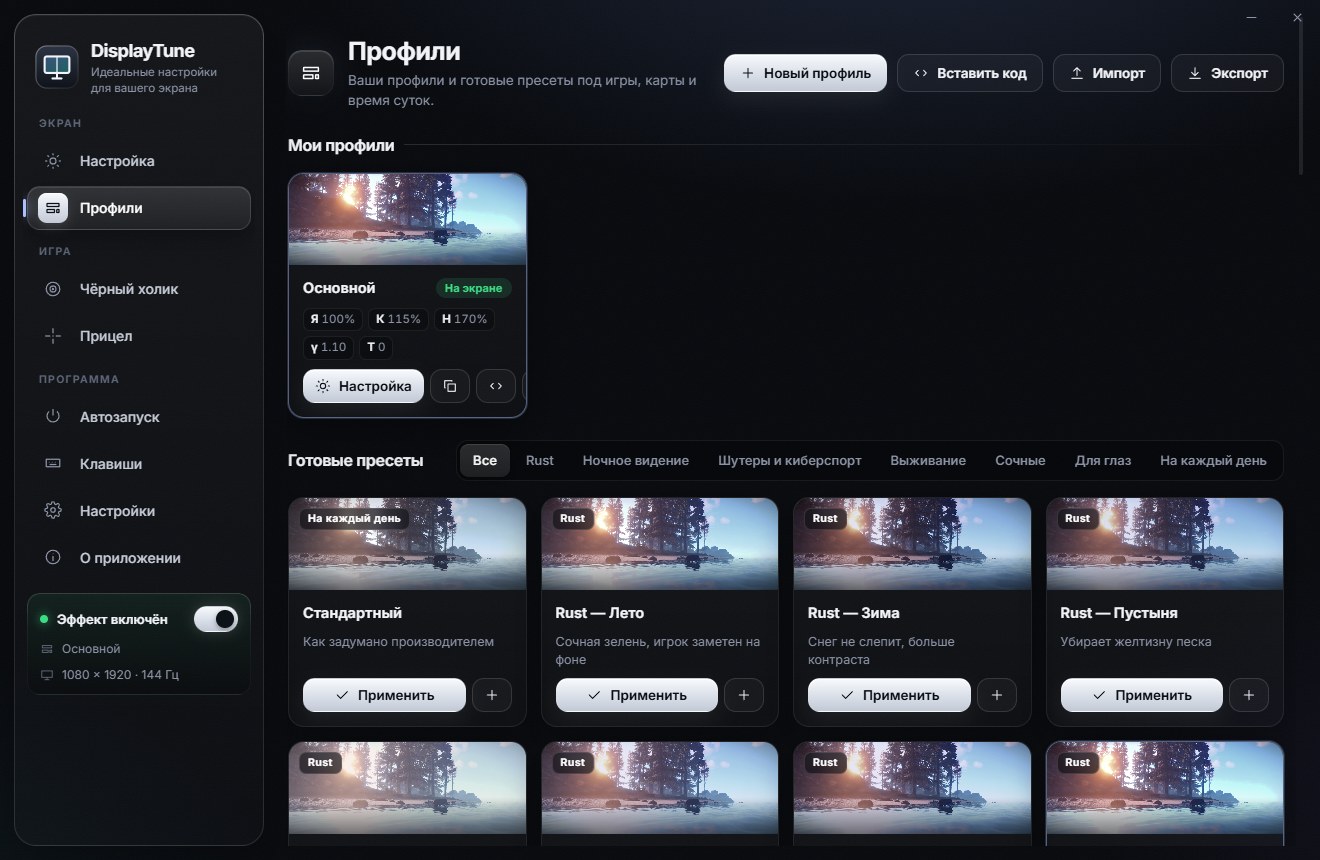
- Install DisplayTune and open "Profiles" → the Rust group.
- Pick "Rust — Summer" (155%) for everyday play or "Rust — PvP" (170%) for fights.
- Done: the profile turns on when Rust is in focus, and your desktop stays normal.
Saturation plus gamma
Saturation alone does not help at night or in the shadow of cliffs. There you need gamma 1.1–1.6 — it lifts dark areas without blowing out the sky. The presets combine both; night is covered in Rust too dark at night.
15 presets for every biome and time of day — Summer, Winter, Night, PvP, Raid, Caves and more. The profile switches on by itself when Rust is in focus; the black holo and a custom crosshair are in the same app. First day free.
Try it freePricing — from 200 RUBWant to see how it looks first? Load your own screenshot into the free Vibrance simulator →
Frequently asked questions
What is the best digital vibrance for Rust?
For most monitors, 150–170% in DisplayTune (75–85% NVIDIA digital vibrance). You can go higher for PvP, as long as skin and sky still look natural.
Can you get banned for vibrance in Rust?
Saturation is changed by the graphics driver — Rust and Easy Anti-Cheat are not involved. The NVIDIA panel does the same thing.
Why does my vibrance reset when I launch Rust?
Some games or apps reset color settings. DisplayTune watches for that and reapplies the profile.