 DisplayTune
Clearing the Rust map cache
Every Rust server has its own map, and the game saves it to disk so the next load is faster. After a few months on different servers the map folder easily reaches several gigabytes.
Where the maps are
In the game folder: Steam\steamapps\common\Rust\maps. The quickest way there: Steam → right-click Rust → Manage → Browse local files → the maps folder. Inside are .map files for the servers you have played on.
Is it safe to delete?
Yes. It is only a cache: everything in it also exists on the servers. Progress, blueprints, bases and inventory live on the server, not on your disk. After cleanup, the first join to each server takes a little longer while the map downloads and generates again.
| What | Where | Safe to delete |
|---|---|---|
| Map cache | Rust\maps | Yes, downloads again |
| Logs and crash dumps | Rust folder root, *.log and *.dmp | Yes |
| Unity Player.log | %USERPROFILE%\AppData\LocalLow\Facepunch Studios LTD\Rust | Yes |
| client.cfg | Rust\cfg | No — your settings live there |
| Game files (Bundles, RustClient_Data) | Rust folder | No — breaks the game |
Manual cleanup
- Close Rust.
- Open the
mapsfolder via Browse local files. - Select everything inside (
Ctrl+A) and delete it. Keep the folder itself. - Empty the Recycle Bin so the space is actually freed.
One click in DisplayTune
In the Quick optimization tab, the "Rust cleanup" step deletes the map cache, logs and crash dumps and shows how much space was freed. The app finds Rust through Steam on any drive and never touches the config or game files.
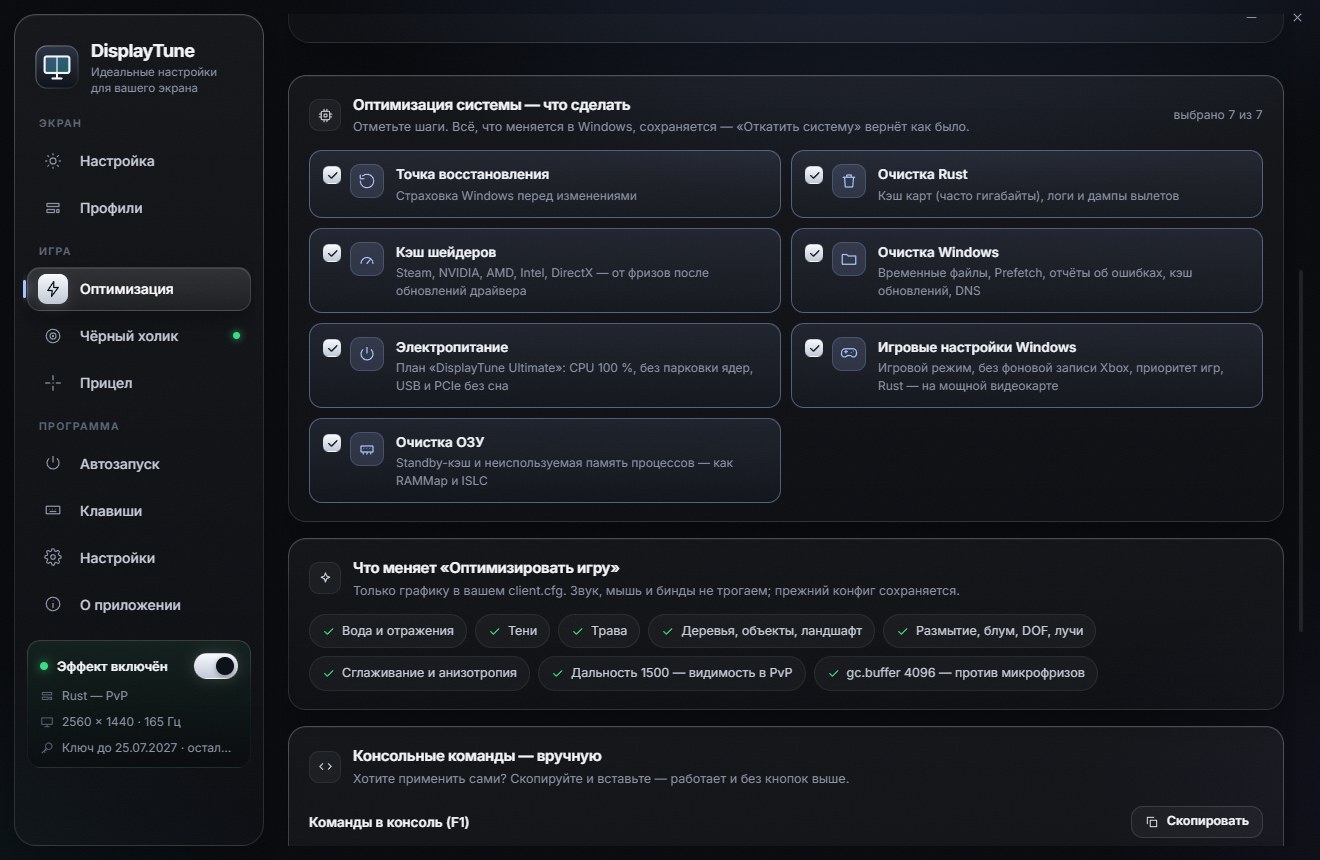
The Quick optimization tab: Rust FPS boost through client.cfg, map and shader cache cleanup, RAM cleanup, the "DisplayTune Ultimate" power plan and Windows game settings. Everything it changes can be reverted with one button. First day free.
Try it freePricing — from 200 RUBWant to see how it looks first? Load your own screenshot into the free Vibrance simulator →
Frequently asked questions
Where does Rust store maps?
In the game folder: Steam\steamapps\common\Rust\maps. Open it via Steam → Manage → Browse local files.
Will I lose progress if I delete the maps?
No. Progress, bases and blueprints are stored on the server. Your disk only holds a cached copy of the map, which downloads again.
How often should I clear the Rust map cache?
When you run low on disk space, or after wipes if you change servers a lot. Once every month or two is usually enough.