 DisplayTune
Clearing RAM for gaming
Windows fills free memory with a file cache — that is normal and usually useful. But some games stutter when the cache is full. That is when clearing the standby list helps.
How Windows uses memory
| List | What it is | Is it free? |
|---|---|---|
| In use | Memory of programs and games | No |
| Modified | Data still waiting to be written to disk | No |
| Standby | Cache of recently read files | Yes, handed out on demand |
| Free | Completely empty memory | Yes |
Standby memory counts as "available": as soon as a game needs memory, Windows gives it away. That is why Task Manager can show memory almost full while there is actually enough.
Where the stutter comes from
When free memory is nearly gone and the standby cache is huge, Windows has to repurpose pages at the exact moment the game asks for them. In some games you never notice; in others it causes short hitches. Rust, with its big maps and tens of gigabytes of data, is a common example.
Tools that clear it
| Tool | What it does | Notes |
|---|---|---|
| RAMMap (Sysinternals) | Empty → Empty Standby List | Manual, every time |
| ISLC | Clears the standby list automatically at a threshold | Runs in the background |
| DisplayTune | "Clean RAM" button and a system optimization step | Shows how much memory was freed |
| Rust bind | gc.collect and pool.clear_* | Clears the game's own memory |
When it helps and when it does not
- Helps: periodic stutter in games with 8–16 GB of RAM after the PC has been on for a long time.
- Will not help: low FPS caused by a weak GPU or CPU — that is not about memory.
- Pointless: clearing every five minutes "for the numbers". The cache fills up again — that is its job.
RAM cleanup in DisplayTune
The "Clean RAM" button opens a window with administrator rights, flushes modified pages and clears the standby list — safe even while a game is running. The full system optimization also trims unused memory of running processes, so run that one with the game closed.
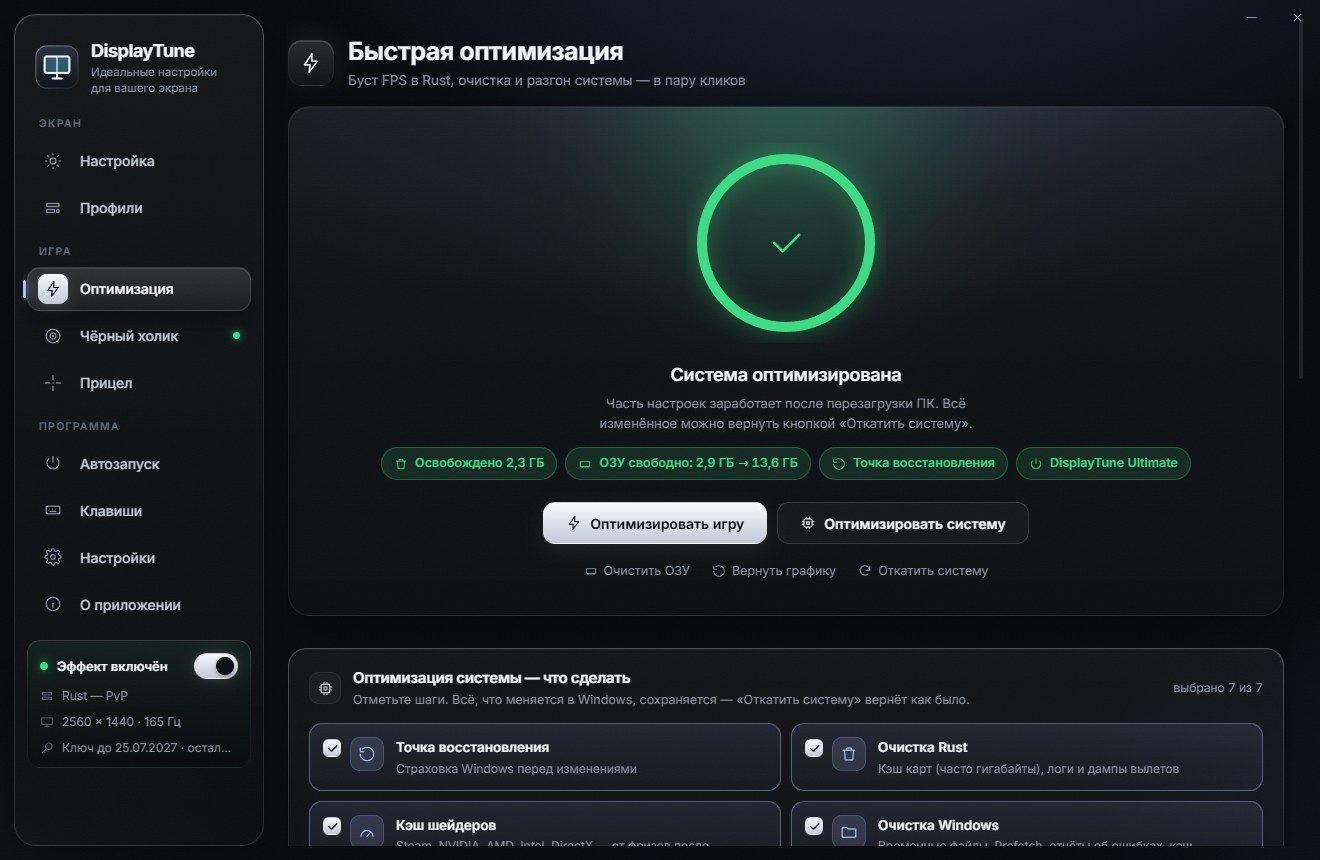
The Quick optimization tab: Rust FPS boost through client.cfg, map and shader cache cleanup, RAM cleanup, the "DisplayTune Ultimate" power plan and Windows game settings. Everything it changes can be reverted with one button. First day free.
Try it freePricing — from 200 RUBWant to see how it looks first? Load your own screenshot into the free Vibrance simulator →
Frequently asked questions
Do I need to clear RAM for gaming?
Only if you have a problem: periodic stutter while the standby list is full. Clearing memory does nothing for raw FPS.
What is standby memory in Windows?
A cache of recently read files. It counts as available memory and is handed to programs on demand.
How is DisplayTune different from ISLC?
ISLC runs in the background and clears at a threshold. DisplayTune clears on a button press and shows the result, and also handles disk cleanup, power settings and game tweaks.